
How to create a query for mail provider using Altru
Introduction Below is a detailed process of creating a list that can sync over to either Constant Contact or Mailchimp. Take note that you will undergo the same process of creating a list of individuals whether you are using Constant Contact or Mailchimp and whether it is the main list or a sub-list. Make sure

How to set up the continuous scanning option
It is a great relief and assistance to have a portable scanner that can do continuous scanning during events where guests are coming non-stop. A stand-alone app that can help validate tickets and membership cards without using wifi or any extra tool or hardware. Our SGS Barcode Scanner is a downloadable app designed to function
Manual tagging query for Altru
Below is a sample manual tagging query for Digital Membership Card that you can follow when creating one for your organization. Include records where: Results fields :

Barcode scanner role with Altru
To effectively use Barcode Scanner, it must first get the correct role with Altru. You must set up the permission accurately to make the Barcode scanner track and validate any tickets. Remember that the data will not transmit to Altru if the barcode scanner role was established incorrectly. We strongly emphasize that setting up the

eTicket sending and cache process
Before an eTicket email sends out to members/customers, it will first undergo an eTicket sending process in which meeting the requirement/s of every step is necessary. It is a repeating process but failing to satisfy each condition will disregard the eTicket email. eTicket Sending Process Frequently Asked Questions (FAQ) 1. If I manually resend an email,

How to bypass single email limit per email type
Email Designer of Social Good Software can bypass a single email limit per email type. You can enable this option if you need to email the same recipient multiple times. Keep reading to know how and when to use this option for your organization. Step 1: Log in to your Social Good Software account. Step

How to send the email to the same recipient
Introduction There are instances when people are requesting the organization to resend a particular email to them for different reasons. This guide on how to send the email to the same recipient is very helpful in this situation. Make sure to strictly follow the step below before you enable the function ‘sending the same email

How to Create a Google Tag Manager Account
If you create a Google Tag Manager account, you will be able to add and update website tags for conversion tracking, site analytics, re-marketing, and others. To start, you need to create a Google account and sign in. Follow the step-by-step guide below to understand better. Steps on how to create Google Tag Manager Account
How to create an unsubscribed attribute with Altru
Introduction To determine those individuals who unsubscribed, you just need to create an unsubscribed attribute with Altru. Do it once and it will be shared among all of your lists of members. Steps on how to create unsubscribed attribute with Altru: 1: Open ALTRU and click ADMINISTRATION. 2: Proceed to ATTRIBUTE CATEGORIES under Data 3:
How to create an attribute for a segment with Altru
Introduction If you have lists of constituents in Altru, you also need to create an attribute for that segment. Every list must have an attribute assigned to it. Attributes are useful when you send an email and you only want those individuals who belong to a particular group to receive your message. Things to consider
How to create a SYNC Operations note type
Introduction Learning how to create a sync operations note type in Altru is beneficial to your organization because it helps record the operations that happened in particular constituent information. It is useful as it gives the history of all the operations done on a particular record. Whenever the organization’s data sync, you will be able

Post-visit email template for Altru
Social Good Software created a Post-visit Email template to serve as your basis for building your Post Visit Email. You can customize it and add additional details to fit your organization’s core values and style. Watch this mini video which will walk you through the template, or follow this written guide. 1: Before you edit
See it in action
Get started with Social Good Software
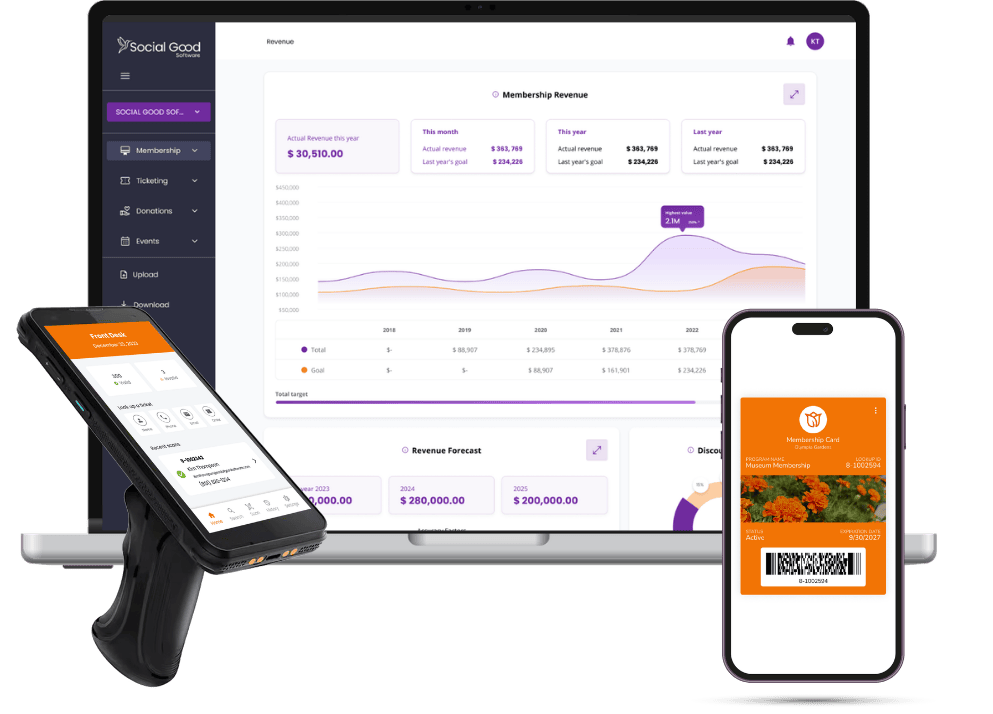
Book a demo to see Social Good Software in action for Altru.
Book a Demo