Custom Etickets rarely fails in a quiet demo. It fails when guests are waiting, phones are ringing, and the person at the desk needs a clear next step.
If your current fix only lives in one inbox or one person’s head, it is not fixed yet. Peak days need a written path anyone on the desk can follow.
Start with the path below before you add more tools or more staff hours.
Where teams feel the pain
Static calendars drift. Guests book sessions that were never truly open, then need rebooks and refunds.
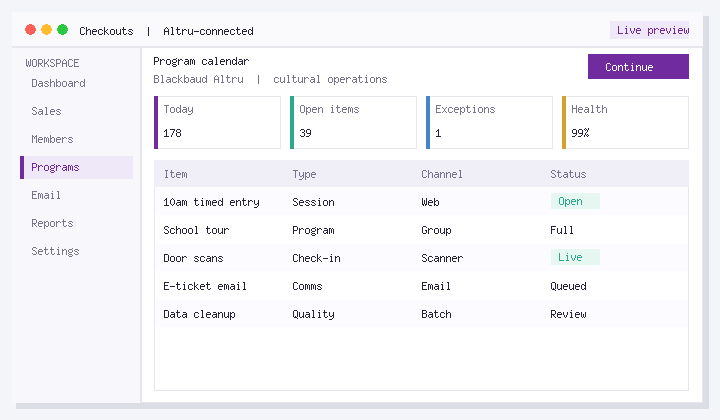
The public calendar must not outsell Altru inventory. Use Altru as capacity truth and connect public schedule modules to live availability.
Steps that work on a real desk
For Custom Etickets, use this order:
- Choose Altru as the capacity source of truth for timed programs.
- Remove static pages that can show sold-out sessions as open.
- Connect the public calendar/booking layer to live inventory.
- Assign a single owner for program time changes across web and Altru.
- Verify same-day cancellation communication for already-sold orders.
Honest constraints
Marketing can still design rich exhibit pages. the booking module must be live.
How to know it is getting better
- Rebooks from schedule errors
- Sold-out-shown-as-open incidents
- Time to publish a program change
Track a quiet week and a peak week. If those numbers do not move, the design is still incomplete.
If you want less manual rework
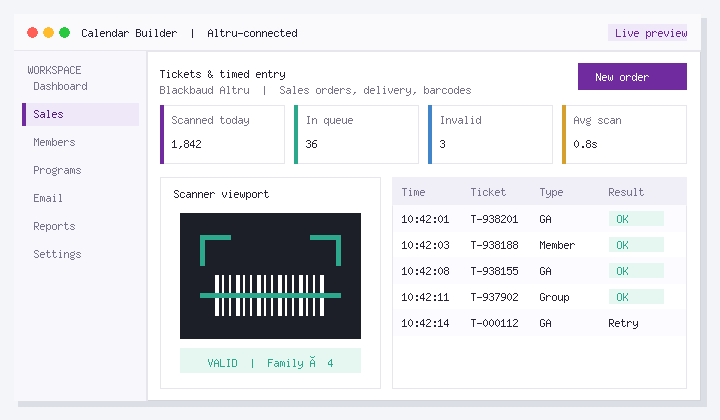
Calendar Builder helps publish timed programs and calendars connected to Altru so schedule and capacity stay honest. If this bottleneck already burns staff time or guest experience, look at Calendar Builder. Altru stays the system of record.
FAQ
What should we do first about Custom Etickets?
The public calendar must not outsell Altru inventory. Use Altru as capacity truth and connect public schedule modules to live availability.
How fast should a canceled session disappear publicly?
Immediately from purchase paths. communicate same-day to sold orders.
Who owns schedule changes?
One role with authority across marketing site and Altru program setup.
Can multiple calendars exist?
Yes, but only one inventory authority.
What about free drop-in programs?
Still publish clear capacity or “until full” rules so door staff are not surprised.
How are members handled on timed calendars?
State member rules on the booking path, not only in a PDF handbook.
Next steps
Choose one quiet day to pilot the steps above on real records. If seasonal staff can complete the path without a supervisor, you are ready to rely on it.
If you want an Altru-connected setup for this workflow, see Calendar Builder or book a walkthrough with your real configuration.
About Social Good Software: Tools for cultural organizations on Blackbaud Altru. Calendars, checkouts, membership, digital cards, scanning, email automation, and data quality. Built to save staff time and improve guest experience without replacing Altru.