Automaticaly mark registrants as checked-in after scanning ticket. rarely fails in a quiet demo. It fails when guests are waiting, phones are ringing, and the person at the desk needs a clear next step.
If your current fix only lives in one inbox or one person’s head, it is not fixed yet. Peak days need a written path anyone on the desk can follow.
Start with the path below before you add more tools or more staff hours.
Where teams feel the pain
A failed scan becomes a second queue. Throughput collapses when every guest becomes a manual order lookup.
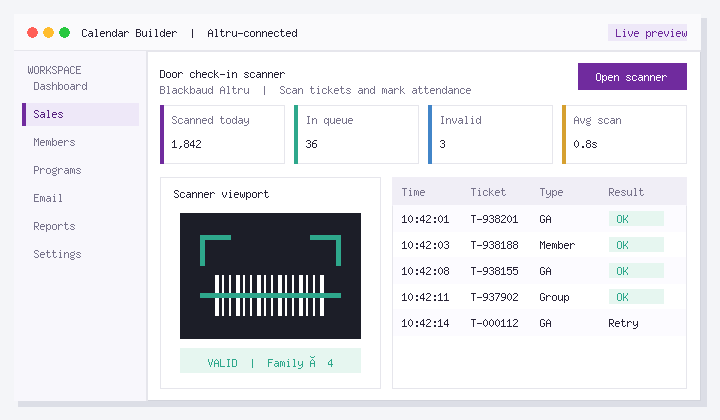
Door scanning succeeds when every accepted credential type is documented, failure scripts are short, and attendance posts back to Altru. Train seasonal staff on the three most common failures, not only the happy path.
Steps that work on a real desk
For Automaticaly mark registrants as checked-in after scanning ticket., use this order:
- List every barcode type accepted (ticket, member, guest pass, third-party if any).
- Define success and failure behavior for each type in Altru.
- Write 15-second scripts for the top three failures (wrong day, already scanned, unreadable).
- Pilot on a busy weekend with seasonal staff and measure guests per minute.
- Review unscanned-but-sold reports the next morning and fix process gaps.
Honest constraints
Hardware and lighting matter. Software cannot fix a cracked phone screen held at the wrong angle without a fallback lookup path.
How to know it is getting better
- Guests per minute
- Unscanned sold tickets %
- Supervisor escalations per hour
Track a quiet week and a peak week. If those numbers do not move, the design is still incomplete.
If you want less manual rework
Ticket Scanner is built for Altru ticket and membership scanning so door teams get clearer outcomes and better throughput. If this bottleneck already burns staff time or guest experience, look at Ticket Scanner. Altru stays the system of record.
FAQ
What should we do first about Automaticaly mark registrants as checked-in after scanning ticket.?
Door scanning succeeds when every accepted credential type is documented, failure scripts are short, and attendance posts back to Altru. Train seasonal staff on the three most common failures, not only the happy path.
Should every failure escalate to a supervisor?
No. Most failures need a scripted resolution. escalate only true edge cases.
What metric proves scanning improved?
Guests per minute and percent of sold tickets left unscanned.
How do teams handle partial parties?
Document whether remaining guests can enter on the same order and how attendance should be marked.
What about offline moments?
Define a paper/order-number fallback and a catch-up scanning rule when connectivity returns.
Why do membership scans fail more than tickets?
Card values, expired memberships, and household guest-pass rules are easy to misconfigure.
Next steps
Choose one quiet day to pilot the steps above on real records. If seasonal staff can complete the path without a supervisor, you are ready to rely on it.
If you want an Altru-connected setup for this workflow, see Ticket Scanner or book a walkthrough with your real configuration.
About Social Good Software: Tools for cultural organizations on Blackbaud Altru. Calendars, checkouts, membership, digital cards, scanning, email automation, and data quality. Built to save staff time and improve guest experience without replacing Altru.