Create a Daily Sales button for specific merchandise items rarely fails in a quiet demo. It fails when guests are waiting, phones are ringing, and the person at the desk needs a clear next step.
If your current fix only lives in one inbox or one person’s head, it is not fixed yet. Peak days need a written path anyone on the desk can follow.
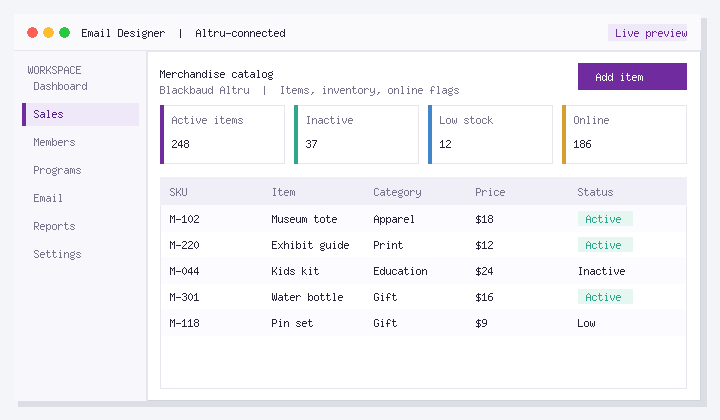
Start with the path below before you add more tools or more staff hours.
Where teams feel the pain
Dead items in buttons or online bundles create voids and missed add-on revenue. Manual seasonal updates do not scale.
Merchandise accuracy starts with item hygiene in Altru: active flags, categories, and selling paths must match what cashiers and the website can actually sell. Audit inactive items still exposed to any channel.
Steps that work on a real desk
For Create a Daily Sales button for specific merchandise items, use this order:
- Audit active vs inactive items still visible in any selling path.
- Standardize categories and naming for reporting.
- Define who may create items and how seasonal inactivation works.
- Review top sellers and zero-sellers after each major exhibition turnover.
- Align online bundles with items that have real inventory.
Honest constraints
Merch is a data problem that shows up in POS, web, and reports simultaneously.
How to know it is getting better
- Voids on inactive items
- Online merch attach rate
- Hours spent on manual item edits
Track a quiet week and a peak week. If those numbers do not move, the design is still incomplete.
If you want less manual rework
Checkouts supports modern sales paths into Altru so merchandising experiences can stay guest-friendly while orders remain anchored in Altru. If this bottleneck already burns staff time or guest experience, look at Checkouts. Altru stays the system of record.
FAQ
What should we do first about Create a Daily Sales button for specific merchandise items?
Merchandise accuracy starts with item hygiene in Altru: active flags, categories, and selling paths must match what cashiers and the website can actually sell. Audit inactive items still exposed to any channel.
What cleanup pays off first?
Inactivating true dead items still exposed to cashiers or online bundles.
How often should item audits run?
Monthly in busy seasons. at least each exhibition changeover.
Who approves new SKUs?
A single merchandising owner with finance category rules.
Should every SKU be online?
No. only items you can fulfill without hurting the floor experience.
What report exposes trouble fastest?
Sales attempts or voids against inactive/mis-categorized items.
Next steps
Choose one quiet day to pilot the steps above on real records. If seasonal staff can complete the path without a supervisor, you are ready to rely on it.
If you want an Altru-connected setup for this workflow, see Checkouts or book a walkthrough with your real configuration.
About Social Good Software: Tools for cultural organizations on Blackbaud Altru. Calendars, checkouts, membership, digital cards, scanning, email automation, and data quality. Built to save staff time and improve guest experience without replacing Altru.




